How to Create AI Videos for Brands: Google Flow & Free AI Video Tools

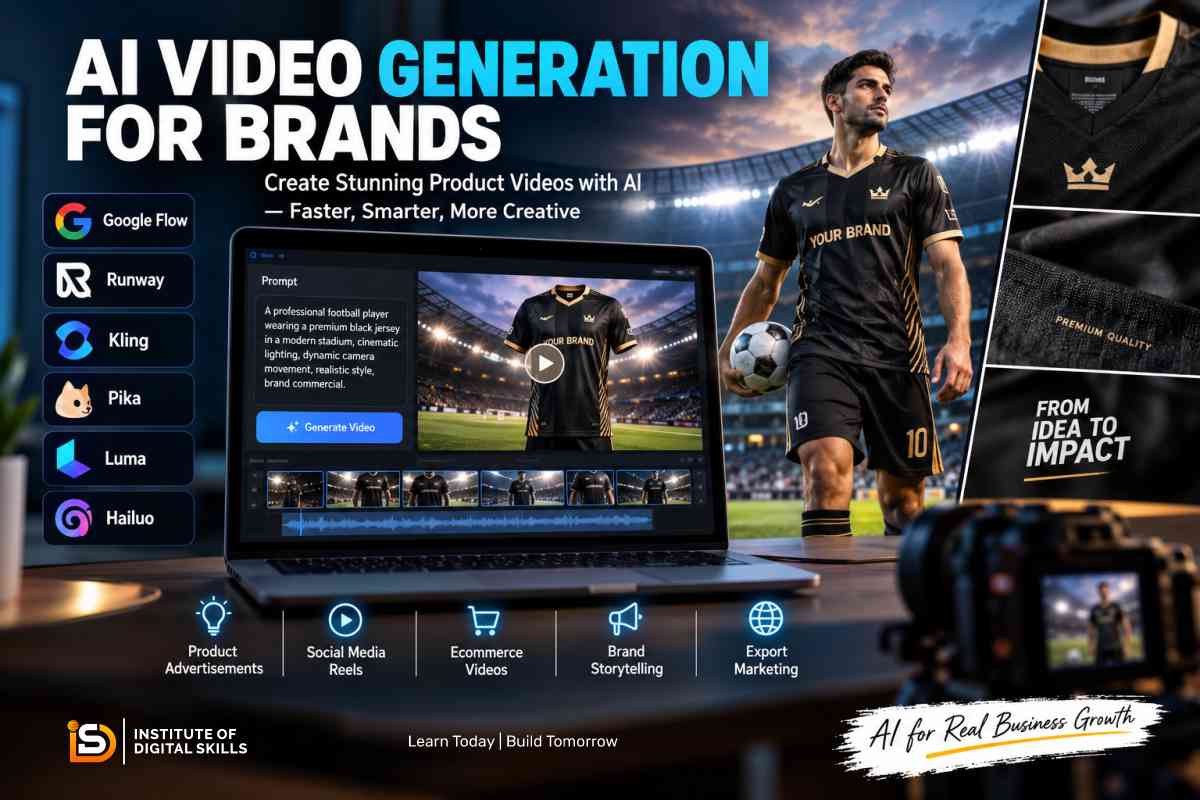
AI video generation for brands is changing the way businesses create product advertisements, social media content, ecommerce videos and promotional campaigns. Instead of depending entirely on expensive cameras, locations, actors and traditional production teams, businesses can now use artificial intelligence to create professional-looking video content from text prompts, product images and visual references.
If you are new to artificial intelligence, you can also learn AI in Pakistan through practical courses and resources before starting advanced AI video workflows.
Tools such as Google Flow, Kling, Runway, Pika, Luma, Hailuo and other AI video platforms allow marketers and businesses to experiment with product demonstrations, cinematic advertisements, social media Reels and branded storytelling.
For manufacturers, exporters and ecommerce businesses, AI video generation can be particularly useful because one product image can become the starting point for several different marketing videos.
In this guide, you will learn what AI video generation for brands is, how to create AI videos step by step, how to use Google Flow, how to write effective AI video prompts, which AI video tools can be useful for businesses, and how Pakistani and Sialkot-based businesses can use AI-generated videos for marketing.
If you are new to artificial intelligence, you can first learn AI in Pakistan and then explore practical applications such as AI video generation, AI content creation and AI-powered marketing.
What Is AI Video Generation for Brands?
AI video generation for brands is the process of using artificial intelligence to create marketing and promotional videos from text instructions, product images, reference images or existing video material.
A business can provide an AI video tool with information such as:
- The product
- The environment
- Camera movement
- Lighting
- Product action
- Background
- Visual style
- Video duration
- Aspect ratio
- Target audience
The AI system then generates a video based on those instructions.
For example, a sportswear manufacturer could provide an image of a football jersey and create a cinematic video showing a professional football player wearing a similar kit inside a modern stadium.
The same concept can be used for shoes, watches, leather products, cosmetics, food products, accessories, tools, uniforms and many other products.
Why Are Brands Using AI Video Generation?
Video has become one of the most important formats for digital marketing. Businesses need video content for websites, Instagram, Facebook, TikTok, YouTube, LinkedIn, ecommerce stores and advertising campaigns.
Traditional video production can require:
- Professional cameras
- Models
- Locations
- Lighting equipment
- Videographers
- Editors
- Travel
- Multiple production days
AI video generation can reduce some of these production requirements and allow businesses to create multiple creative concepts much faster.
AI video generation becomes even more valuable when it is combined with a broader digital marketing strategy for export businesses in Pakistan.
1. Product Advertising
AI can transform product images into promotional video concepts.
For example, a manufacturer can create a cinematic product presentation without physically organizing a complete photoshoot.
2. Social Media Reels
Short AI-generated clips can be edited into Instagram Reels, Facebook videos, TikTok content and YouTube Shorts.
3. Ecommerce Marketing
Online sellers can use product videos to demonstrate how a product looks, moves or is used.
4. Brand Storytelling
AI video tools can help businesses visualize environments, lifestyles and stories around their products.
5. International Marketing
Exporters can create different versions of a product advertisement for different markets and audiences.
AI video generation can be particularly useful when combined with a broader digital marketing strategy for export businesses in Pakistan.
What Is Google Flow?
Google Flow is an AI filmmaking and video creation tool designed to help users create cinematic visual content using generative AI.
It can be used to develop scenes and video clips from text instructions and visual references.
For brands, the important idea is not simply generating one random video.
The real value comes from creating a sequence of consistent scenes that can later be edited into a complete advertisement.
For example:
Product Image → AI Scene → Multiple Video Clips → Editing → Brand Advertisement
This workflow can be useful for manufacturers, marketers, content creators and ecommerce businesses.
Because AI tools and their features change frequently, users should always check the latest official information, available models, plans and usage limits before starting a production workflow.
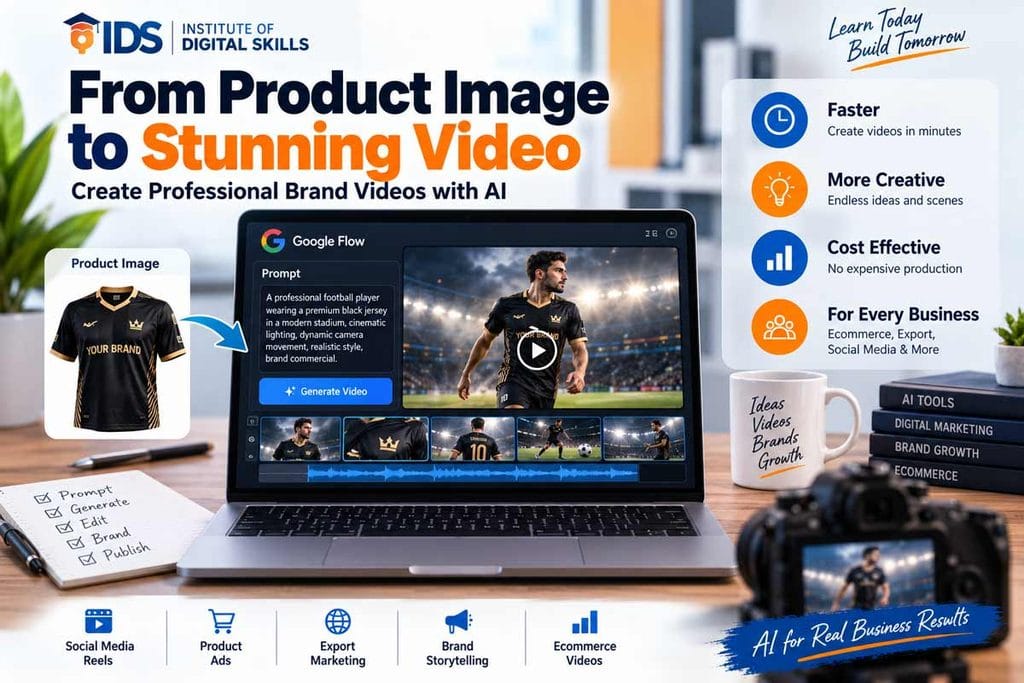
How to Create AI Videos for Brands With Google Flow
Creating a branded AI video is easier when the process is divided into separate steps.
Step 1: Define the Marketing Objective
Before opening an AI video generator, decide what the video is supposed to achieve.
Ask:
- Is it a product advertisement?
- Is it for Instagram?
- Is it for TikTok?
- Is it for Facebook Ads?
- Is it for a website?
- Is it for a B2B buyer?
- Is it for an ecommerce store?
- Is it for brand awareness?
For example:
Goal: Create a short promotional video for a Sialkot sportswear manufacturer targeting USA buyers.
This objective should influence the entire video.
Step 2: Prepare Your Product Image
The quality of your reference image can have a significant effect on the final result.
Use a clear image with:
- Good lighting
- Visible product details
- Correct colors
- Minimal distortion
- Clean background where possible
- High resolution
If your product contains a logo, pattern or specific design, remember that generative AI may not reproduce small details perfectly.
For important commercial products, always compare the generated video with the original product before publishing it.
Step 3: Decide the Video Format
Choose the platform before generating the video.
For Instagram Reels and TikTok
Use:
9:16 vertical
For YouTube
Use:
16:9 landscape
For Instagram/Facebook feed
Depending on the campaign, you may use:
1:1 or 4:5
Creating the correct format from the beginning can reduce unnecessary cropping later.
Step 4: Write an AI Video Prompt
A strong prompt gives the AI clear visual instructions.
A useful structure is:
Subject + Action + Environment + Camera + Lighting + Motion + Style
For example:
A professional football player wearing a premium black football jersey, walking onto a modern football stadium at sunset, cinematic sports commercial, slow tracking camera movement, dramatic stadium lights, realistic fabric details, energetic atmosphere, premium advertising style.
The more clearly you describe the desired scene, the easier it becomes to control the creative direction.
AI Video Prompt Formula for Brands
You can use this formula for most product videos:
[Product/Subject] + [Action] + [Environment] + [Camera Movement] + [Lighting] + [Visual Style] + [Motion] + [Brand Requirements]
Example
Premium leather football gloves placed on a professional training ground, camera slowly moving around the gloves, early morning stadium lighting, realistic leather texture, cinematic sports advertisement, subtle slow motion, premium commercial photography style, maintain the original glove colors and design.
This structure can be adapted to almost any product.
10 AI Video Prompt Ideas for Brands
1. Sportswear Advertisement Prompt
A professional football player wearing a premium custom football kit running across a modern football stadium, realistic fabric movement, dramatic stadium lights, cinematic sports commercial, dynamic tracking camera, realistic athletic motion, premium international sportswear advertisement.
2. Product Showcase Prompt
Premium product displayed on a clean luxury studio set, slow cinematic camera movement around the product, soft professional lighting, realistic materials and textures, high-end commercial advertisement, elegant and minimal visual style.
3. Ecommerce Product Video Prompt
Product placed on a clean modern background, smooth camera movement revealing different angles, realistic product proportions, natural lighting, professional ecommerce advertisement style, sharp product details, visually clean composition.
4. Leather Product Prompt
Premium handcrafted leather product displayed inside a sophisticated workshop, warm natural lighting, detailed leather texture, slow cinematic camera movement, luxury craftsmanship advertisement, realistic materials and professional commercial style.
5. Food Product Prompt
Fresh premium food product beautifully presented on a modern dining table, natural daylight, slow camera push-in, appetizing realistic textures, cinematic food advertisement, premium commercial photography style.
6. Manufacturing Prompt
Professional manufacturing facility producing high-quality sportswear products, workers carefully inspecting finished products, realistic industrial environment, cinematic camera movement, modern lighting, premium B2B manufacturing video style.
7. Export Business Prompt
Premium manufactured products being prepared for international shipment inside a modern export facility, professional packaging process, smooth camera movement, realistic environment, cinematic corporate advertisement style.
8. Fashion Advertisement Prompt
Professional fashion model wearing a premium modern outfit in an urban environment, cinematic camera movement, natural evening lighting, realistic fabric motion, premium fashion campaign, sophisticated commercial visual style.
9. B2B Product Advertisement Prompt
Premium manufactured product presented in a professional showroom for international buyers, realistic product details, clean corporate environment, controlled camera movement, sophisticated lighting, high-end B2B commercial advertisement.
10. Social Media Reel Prompt
Fast-paced premium product advertisement designed for a vertical social media Reel, close-up product shots, dynamic camera movement, realistic textures, energetic transitions, modern commercial style, visually engaging opening scene.
How to Create an AI Product Advertisement
AI video generation becomes particularly useful when it is combined with a clear advertising strategy.
A simple workflow is:
Product → Audience → Message → Scene → AI Generation → Editing → Branding → CTA
For example:
Product
Custom football jersey
Target Market
USA sportswear buyers
Objective
Generate interest in custom manufacturing
Video
Professional athlete wearing the jersey in a stadium
Editing
Add logo, text, music and CTA
CTA
Request a Custom Sportswear Quote
This turns AI video generation into a marketing asset rather than just an experiment.
Practical Example: AI Video for a Sialkot Sportswear Manufacturer
Sialkot is well known for manufacturing and exporting a wide range of products, including sportswear, sports equipment, gloves, leather products and other manufactured goods.
You can also explore our guide to Sialkot export products. to learn more about the products manufactured and exported from the city.
A sportswear manufacturer can use AI video generation to create promotional content for international buyers.
Instead of using the image only on a catalogue or website, the business could develop several video concepts:
Video 1 — Stadium Advertisement
A football player wears the jersey inside a professional stadium.
Video 2 — Product Close-Up
The camera moves around the jersey and highlights the fabric and stitching.
Video 3 — Training Session
The player wears the jersey during a realistic football training session.
Video 4 — Manufacturing Story
The video shows a conceptual journey from manufacturing to finished product.
Video 5 — International B2B Advertisement
The final video introduces the manufacturer as a custom sportswear supplier for international buyers.
The videos can then be edited together into a short campaign.
This approach can be particularly useful for manufacturers that want to improve their online presentation without producing a complete physical video shoot for every product.
AI Video Generation for Pakistani Businesses
AI video generation is not limited to large international brands.
Pakistani businesses can use AI video tools for:
- Ecommerce
- Export marketing
- Social media
- Product advertisements
- Restaurant marketing
- Fashion brands
- Sportswear
- Leather products
- Manufacturing
- Real estate
- Education
- Local services
Pakistani businesses can also learn digital marketing in Sialkot and combine traditional digital marketing techniques with AI-powered video content.
For example, a Pakistani ecommerce seller could create short product videos for social media.
An exporter could create a product presentation for international buyers.
A local business could create a short promotional Reel.
The key is to combine AI generation with a clear marketing objective.
AI Video Generation for Sialkot Businesses
Businesses in Sialkot have an additional opportunity because many local industries already have highly visual products. Businesses can use AI video generation to promote the products manufactured and exported from Sialkot.
Sportswear Manufacturers
Create videos for:
- Football kits
- Tracksuits
- Gymwear
- Training wear
- Compression wear
- Custom uniforms
Sports Equipment Manufacturers
Create promotional videos for:
- Footballs
- Boxing gloves
- MMA equipment
- Training equipment
- Protective gear
Leather Manufacturers
Create videos showing:
- Leather gloves
- Jackets
- Wallets
- Bags
- Accessories
Surgical Instrument Manufacturers
Create professional product presentation videos showing instruments in controlled clinical or industrial environments.
Exporters
Create B2B videos designed specifically for overseas buyers.
AI video generation can therefore become part of a broader digital marketing strategy for Sialkot’s export businesses.
Best AI Video Tools for Brands
There is no single AI video tool that is perfect for every type of project.
The right tool depends on the required workflow, visual style, input type, editing requirements and available plan.
Google Flow
Useful for AI filmmaking workflows and cinematic scene creation.
Best suited to users who want to experiment with AI-generated scenes and storytelling.
Kling
Useful for text-to-video and image-to-video experimentation.
It can be useful when you want to animate a product or visual reference.
Runway
Useful for creative AI video workflows, generation and editing-related tasks.
Pika
Useful for creative short-form content and social media experiments.
Luma
Useful for AI-generated video and creative visual workflows.
Hailuo
Another option for experimenting with generative AI video and image-to-video workflows.
CapCut
CapCut is especially useful for the editing stage.
You can use it to:
- Combine AI clips
- Add music
- Add subtitles
- Add logos
- Add transitions
- Add CTA text
- Resize videos
- Prepare social media versions
Remember that AI generation and video editing are two different parts of the workflow.
AI Video Tools Comparison
| Tool | Useful For | Typical Workflow |
|---|---|---|
| Google Flow | AI filmmaking and cinematic scenes | Text/Image → Scenes |
| Kling | Generative video experiments | Text/Image → Video |
| Runway | Creative AI video workflows | Text/Image/Video |
| Pika | Short creative content | Text/Image → Video |
| Luma | Generative visual content | Text/Image → Video |
| Hailuo | AI video generation | Text/Image → Video |
| CapCut | Editing and social content | Clips → Final Video |
AI platforms frequently change their models, features, plans and usage limits, so check the current official information before choosing a tool for a commercial workflow.
Free vs Paid AI Video Tools
Many AI video platforms offer some form of free access, trial generation or limited credits.
However, free access can change over time.
Common limitations may include:
- Generation credits
- Watermarks
- Lower resolution
- Limited models
- Queue restrictions
- Shorter videos
- Export restrictions
For learning and testing, free access can be enough.
For professional commercial production, a paid plan may become useful when you need higher limits, more generations or additional features.
How to Maintain Product Accuracy in AI Videos
One of the biggest challenges in AI product videos is maintaining accurate product details.
AI may sometimes change:
- Logos
- Text
- Product colors
- Patterns
- Product shape
- Fabric details
- Human hands
- Faces
- Small design elements
To reduce these problems:
Use a high-quality reference image
Give the model a clear visual reference whenever supported.
Keep prompts specific
Describe what should remain unchanged.
Generate short clips
Short scenes are often easier to control than attempting one long complex video.
Review every frame
Never assume that a generated commercial video is automatically accurate.
Edit carefully
If a product detail is commercially important, use the original asset during editing whenever possible.
Common AI Video Generation Mistakes
1. Writing Extremely Vague Prompts
Bad:
Make a nice sports video.
Better:
Premium football jersey worn by a professional athlete inside a modern stadium, cinematic sports commercial, slow tracking camera, dramatic evening lighting, realistic fabric movement.
2. Trying to Generate an Entire Advertisement in One Prompt
Complex advertisements are easier to create as multiple short scenes.
3. Ignoring Product Accuracy
Always compare the generated result with the actual product.
4. Forgetting the Target Platform
A video made for YouTube may not work well as a TikTok or Instagram Reel.
5. Adding Too Much Text Inside the AI Generation
AI-generated text can be inconsistent.
It is often better to add important headlines, prices, contact information and CTAs during editing.
6. Publishing Without Human Review
AI-generated content should be reviewed before publication, especially for commercial campaigns.
How to Make AI Videos Look More Professional
AI generation is only one part of the process.
A professional result usually requires:
Generation + Selection + Editing + Branding + Sound + CTA
After generating several clips, select the strongest ones.
Then use an editor to:
- Trim unnecessary footage
- Arrange scenes
- Add music
- Add sound effects
- Add subtitles
- Add brand colors
- Add logo
- Add CTA
- Correct aspect ratio
- Export for the intended platform
This final editing stage can make a major difference.
AI Video Workflow for a Brand
A practical workflow can look like this:
Stage 1 — Strategy
Define:
- Product
- Audience
- Platform
- Goal
- Message
Stage 2 — Assets
Collect:
- Product photos
- Logo
- Brand colors
- Product specifications
- Reference images
Stage 3 — Prompting
Create several prompts for different scenes.
Stage 4 — Generation
Generate multiple variations.
Stage 5 — Selection
Choose the most accurate and visually useful clips.
Stage 6 — Editing
Combine the clips into one coherent video.
Stage 7 — Branding
Add:
- Logo
- Brand name
- Product information
- CTA
Stage 8 — Distribution
Export different versions for:
- TikTok
- YouTube
- Website
- Ecommerce store
AI Video Generation for Ecommerce
Ecommerce businesses can use AI video generation to create additional visual content around their products.
For businesses selling products online, AI-generated videos can be combined with a professional Shopify store in Pakistan to create a stronger ecommerce marketing experience.
For example, a Shopify seller could create:
- Product showcase videos
- Lifestyle videos
- Demonstration videos
- Social media advertisements
- Promotional Reels
- Seasonal campaigns
The important point is to use AI video as a supplement to genuine product photography and information—not as a replacement for accurate product representation.
For ecommerce products, customers should still be able to understand the real product clearly.
AI Videos for Export Businesses
Export businesses can use AI-generated content to improve their digital presentation.
A manufacturer can create different videos for:
Product Marketing
Show the product in an attractive commercial environment.
Manufacturing Capability
Explain production and customization capabilities.
Buyer Presentation
Create a professional introduction for potential international buyers.
Social Media
Create regular short-form content.
Website
Use selected videos on product or landing pages.
For exporters, the strongest results usually come from combining AI-generated visuals with real factory photographs, real product images, actual certifications and genuine company information.
AI Video Generation and Digital Marketing
AI video should not be treated as a standalone marketing strategy.
It works best as part of a larger digital marketing system.
Businesses can combine AI video content with digital marketing for export businesses in Pakistan to promote their products and reach international buyers.
For example:
AI Video → Social Media → Website → Product Page → Lead Form → Sales Follow-Up
A business could publish an AI-assisted product Reel, direct viewers to its website and then convert interested visitors through a product page or inquiry form.
For export businesses, this can be combined with SEO, Google Business Profile, email marketing, LinkedIn marketing and other digital channels.
AI Video Generation for Social Media
Different platforms require different approaches.
Instagram Reels
Focus on:
- Strong opening
- Vertical format
- Short scenes
- Fast pacing
- Captions
- Visual storytelling
TikTok
Focus on:
- Immediate visual hook
- Short duration
- Native-feeling content
- Strong movement
Product demonstrations, promotional videos and educational content can work well.
For B2B businesses, focus on:
- Manufacturing
- Product quality
- Company capabilities
- Exporting
- Industry expertise
The same source video can often be adapted into multiple versions.
How to Write Better AI Video Prompts
Instead of simply describing what you want, describe the entire scene.
Include:
Subject
What is being shown?
Action
What is happening?
Environment
Where is it happening?
Camera
How should the camera move?
Lighting
What type of light is required?
Motion
How should the subject move?
Style
What visual style should be used?
Constraints
What should remain unchanged?
Example of a Detailed Brand Prompt
A premium black football jersey displayed on a professional football player inside a modern international stadium, the player slowly walks toward the camera while stadium lights illuminate the scene, realistic fabric movement and accurate jersey proportions, cinematic sports advertising style, smooth tracking camera, shallow depth of field, dramatic evening atmosphere, maintain the original jersey color and design.
This is much more specific than:
Create a football jersey advertisement.
What AI Cannot Reliably Replace
AI video generation is powerful, but businesses should understand its limitations.
AI may not always reproduce:
- Exact logos
- Small product text
- Exact stitching
- Product dimensions
- Technical specifications
- Human anatomy
- Brand identity
- Packaging text
For this reason, commercial AI video production should include human review and editing.
The best approach is often:
AI for creative visualization + real assets for factual accuracy.
How Beginners Can Start Learning AI Video Generation
You do not need to master every AI video tool.
Start with one platform and learn the fundamentals.
If you want to build a broader foundation in artificial intelligence before specializing in AI video, you can learn AI in Pakistan through practical learning resources.
Step 1
Understand text-to-video and image-to-video concepts.
Step 2
Learn how reference images work.
Step 3
Practice writing prompts.
Step 4
Generate short scenes.
Step 5
Learn basic video editing.
Step 6
Create complete advertisements.
Step 7
Adapt your videos for different platforms.
Step 8
Build a portfolio of practical projects.
The fastest way to improve is to create real projects instead of only watching tutorials.
Final Thoughts
AI video generation for brands is becoming an important creative tool for businesses, marketers, manufacturers and ecommerce sellers.
Tools such as Google Flow and other AI video platforms can help businesses experiment with cinematic scenes, product advertisements, social media videos and brand storytelling.
However, the tool itself is only one part of the process.
The quality of the final result depends on:
Strategy + Product Assets + Prompting + AI Generation + Editing + Branding + Human Review
For Pakistani and Sialkot businesses, the opportunity is particularly interesting because manufacturers and exporters can combine AI-generated creative content with their existing product photography, manufacturing expertise and international marketing activities.
Whether you are promoting sportswear, leather products, surgical instruments, ecommerce products or another manufactured product, AI video can help you create more visual marketing content and test new creative ideas.
The goal should not be to create AI videos simply because they are trending.
The goal should be to create useful videos that communicate the product, strengthen the brand and help the business reach the right audience.
If you want to learn AI tools, prompting, AI video creation and digital marketing practically, explore the relevant digital skills and AI training programs available at IDS Institute in Sialkot.
Frequently Asked Questions About AI Video Generation for Brands
What is AI video generation for brands?
AI video generation for brands is the use of artificial intelligence to create promotional videos, product advertisements, social media content and branded visual stories from text prompts, images or other references.
How can businesses use AI video generation?
Businesses can use AI videos for product advertisements, social media Reels, ecommerce marketing, brand storytelling, promotional campaigns and B2B marketing.
How do I create an AI product video?
Start with a high-quality product image, define your marketing objective, write a detailed prompt, generate several short clips, select the most accurate results and edit them into a final branded video.
Can Google Flow create videos for brands?
Google Flow can be used to create AI-generated scenes and video clips that can form part of a branded video production workflow. Features and availability can change, so check Google’s latest documentation before starting a project.
What is the best AI video generator for businesses?
The most suitable tool depends on the type of video, required workflow, available features, budget and production requirements. Different platforms are useful for different tasks such as cinematic scenes, image-to-video generation, creative content and editing.
What is the best free AI video generator?
Free AI video options change frequently. Many platforms provide limited credits, trials or restricted features. Always check the current plan and usage limits before choosing a tool.
Can AI turn product images into videos?
Yes. Many AI video platforms support image-to-video workflows that can animate or transform a reference image into a video scene.
Can AI-generated videos be used for ecommerce?
Yes. Businesses can use AI-assisted videos for product marketing, social media advertising and ecommerce content, provided that the generated visuals accurately represent the actual product.
Can Sialkot manufacturers use AI video generation?
Yes. Sialkot manufacturers can use AI video generation for sportswear, sports equipment, leather products, surgical instruments, uniforms and other manufactured goods.
Can AI videos be used for Instagram Reels?
Yes. AI-generated clips can be edited into vertical videos suitable for Instagram Reels, provided they follow the platform’s current specifications.
How do I write an AI video prompt?
A useful prompt can include the subject, action, environment, camera movement, lighting, visual style, motion and important product constraints.
Why does AI change my product in generated videos?
Generative AI does not always preserve every product detail accurately. Logos, text, colors, patterns and shapes may change. Using high-quality reference images and reviewing the final output can help.
Should I use AI-generated videos instead of real product photos?
Not necessarily. For commercial businesses, real product photos are often important for accuracy. AI-generated video can be used alongside genuine product photography and other real business assets.
Can AI video generation help export businesses?
Yes. Exporters can use AI-assisted videos for product promotion, social media content, buyer presentations, website content and international marketing campaigns.
Can beginners learn AI video generation?
Yes. Beginners can start with one AI video platform, learn basic prompting, generate short scenes and then combine them using a video editor.
Is AI video generation useful for digital marketing?
AI video generation can support digital marketing by helping businesses create additional visual content for social media, websites, advertisements and ecommerce campaigns. Its effectiveness still depends on the overall marketing strategy and quality of the content.